
How to scale affiliate traffic operations from 5 to 50 profiles with Afina Browser
Scaling affiliate traffic operations means increasing the number of campaigns, profiles, and repeated browser actions without increasing the failure rate at the same pace. Teams use this approach to test more offers and geographies while keeping account environments separate. The main risks are shared signals, unstable proxy routes, uncontrolled automation, and an incident that spreads across an entire batch before anyone notices.
At five profiles, an operator can remember most decisions. At fifty, memory turns into hidden infrastructure. A proxy is changed but not logged. A browser language no longer matches the IP country. The same rushed action reaches every live account. Once these problems appear, an Afina Browser traffic arbitrage workspace is useful because profiles, routes, tasks, and execution history can be handled as parts of one operating system rather than unrelated browser windows.
The practical goal is not to launch fifty profiles on day one. It is to build a repeatable unit of five, prove it, and copy only what survived the test. The automation scripts in Afina Browser can then remove repetitive work after the process is stable. Automating an unclear process merely produces unclear failures faster.
What changes when a five-profile setup becomes a fifty-profile system
A small setup is forgiving. One person can open each profile, check its visible IP, inspect the page, and correct a mistake immediately. Scale removes that safety margin. Operators act on groups, and one wrong assumption gains a larger blast radius.
The useful unit of scale is a pod: a small group of profiles that share one campaign purpose, one operating rule, and one review owner. A pod should be large enough to expose coordination problems but small enough to stop without affecting the rest of the operation. Five profiles is a sensible starting point, not a universal rule.
| Layer | Five-profile habit | Fifty-profile control | Failure if ignored |
|---|---|---|---|
| Identity | Configure each profile from memory | Use a reviewed profile template and naming rule | Inconsistent device and location signals |
| Network | Paste proxies when needed | Assign tested endpoints and record ownership | Reused, expired, or wrong-country routes |
| Execution | Repeat actions manually | Register a script, set task limits, then inspect logs | Silent repetition of a bad action |
| Rollout | Start everything together | Pilot one pod, then expand in waves | One fault reaches the full account pool |
| Recovery | Fix problems ad hoc | Keep rollback criteria and an incident log | The same failure returns in the next batch |
The table separates speed from scale. Speed is how quickly one action runs. Scale is how safely the same decision can be repeated. Afina Browser supports the second problem by keeping each Chromium profile in its own process and its session data in a separate folder.
Build the baseline profile before you build the batch
The baseline profile is the reference configuration for one campaign lane. It contains the intended operating-system family, a coherent digital fingerprint, the proxy protocol, and location settings that agree with the route. It also has a clear name, group, tags, and note so another operator can understand why it exists.
Randomizing every fingerprint field is not a sound baseline. Canvas, WebGL, Audio, and Rects should describe a plausible device rather than a collection of maximum-noise settings. Time zone and language can follow the proxy IP. The proxy itself must use IPv4 because Afina Browser does not support IPv6 proxy addresses. The same principle applies across tools, as covered in our antidetect browser and mobile proxy setup hub.
Create two baseline profiles and test them across a normal work cycle. Confirm the public IP, country, session persistence, required extensions, and the ability to reopen the account without losing the intended state. Record what counts as a pass. “It opened” is not a useful acceptance criterion. When endpoints come from a proxy provider such as Coronium, confirm the protocol, country, and validity period against the order details before the record becomes part of a baseline row.
Only then create the first pod. Afina Browser can create profiles in bulk, including import from an XLSX structure with Name, ProxyType, Proxy, Groups, Tags, and Note fields. Bulk creation is a multiplication tool, so the source row has to be correct before it becomes fifty rows.
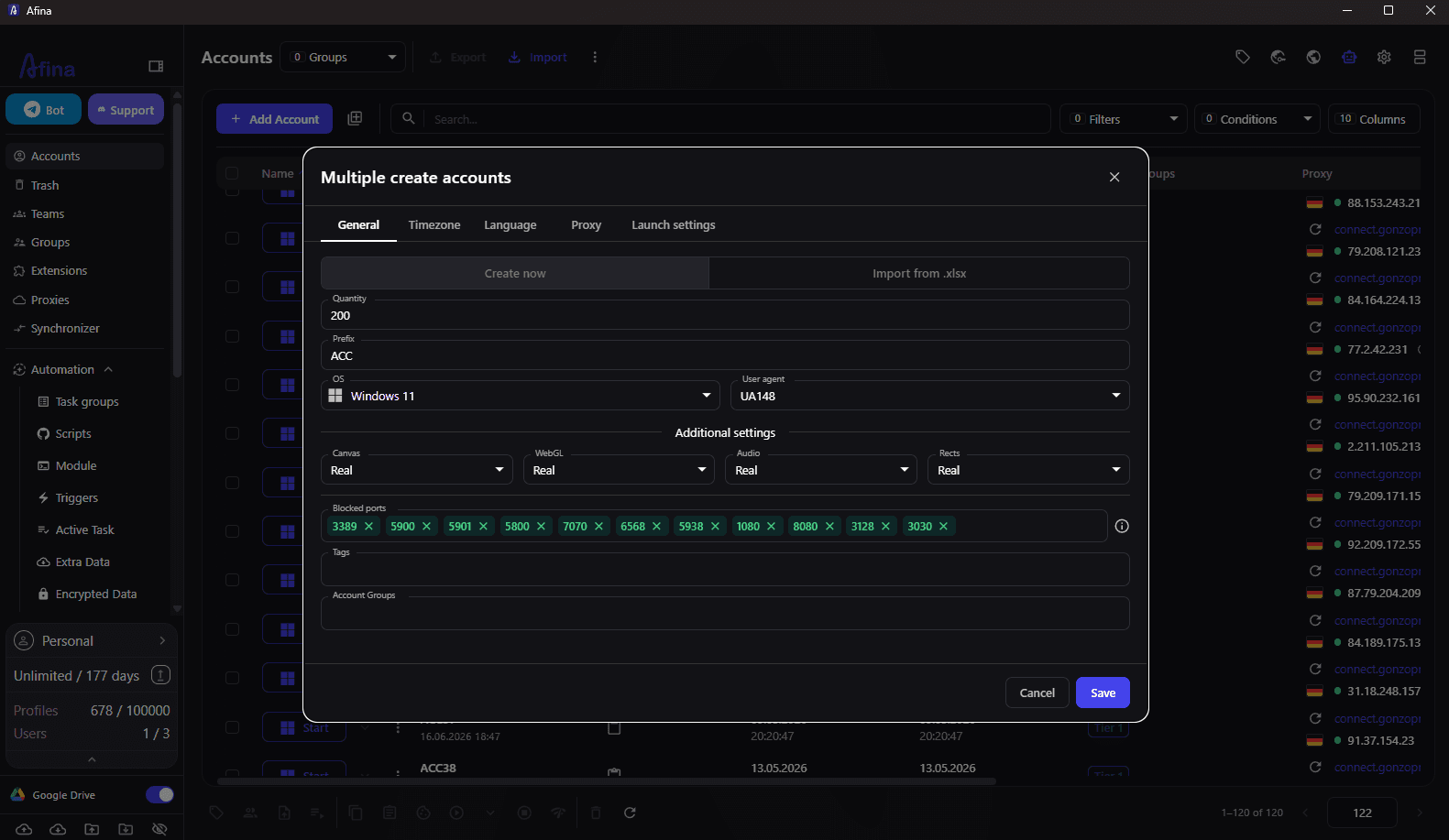
Run a sample from the beginning, middle, and end of the imported batch. This catches shifted columns, missing groups, and malformed proxy strings without opening every row.
Use rollout gates instead of one large launch
A rollout gate is a condition that must be met before more profiles are activated. It turns scaling into a sequence of reversible decisions. The first gate checks profile quality. The second checks task behavior. The third checks whether the team can detect and explain failures.
One workable sequence looks like this:
- 1
run two baseline profiles manually for a full operating cycle
- 2
expand to one five-profile pod with no shared proxy assignments
- 3
execute one registered script on a non-critical task
- 4
review task logs and failed steps before adding another pod
- 5
raise parallel sessions gradually while watching CPU, memory, and page latency
- 6
pause expansion when failure patterns change rather than when the whole batch breaks
The sequence is deliberately conservative. It costs less time than investigating fifty simultaneous failures with no known-good reference.
Afina Browser lets a task group define active sessions, priority, retry behavior, account-order randomization, and whether a task waits for the preceding one. Those controls should be treated as safety limits. A retry is appropriate for a temporary page timeout; it is dangerous when the underlying selector or login state is wrong.
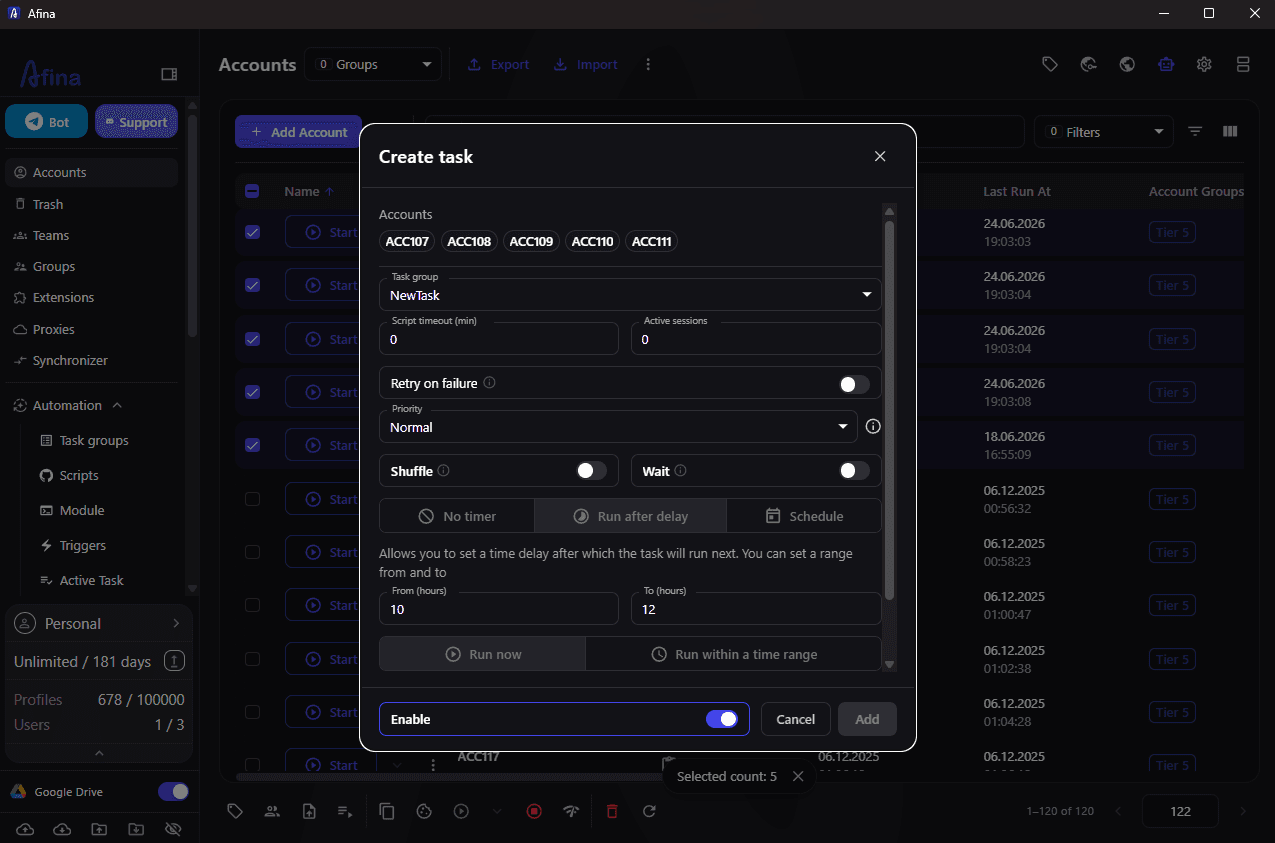
Exported TXT logs provide evidence for review. Keep the first failure, the last successful step, the profile group, and the script version together. Without that context, “task failed” is only a notification, not a diagnosis.
Separate synchronized work from unattended automation
Not every repeated action needs a script. Some campaign tasks require a person to watch pages, compare outcomes, and adjust timing. In that case, the Synchronizer can mirror actions from one main window to several already opened profiles. It needs at least two open accounts and does not launch profiles by itself.
Use synchronization for supervised, visually verifiable work. Use registered scripts for repeatable flows with defined inputs, time limits, and logs. The difference matters because the recovery method is different.
| Method | Operator role | Best fit | Main limit |
|---|---|---|---|
| Manual work | Performs and checks every action | Baseline validation and unusual cases | Slow and hard to reproduce |
| Synchronizer | Leads one window and watches the copies | Short supervised actions across open profiles | Device performance limits practical window count |
| Script task | Defines flow and reviews logs | Stable repeated processes | A flawed flow repeats consistently |
When several browser windows lag, adding more synchronized profiles is not progress. Afina Browser is still running separate Chromium processes, so the computer’s CPU and memory remain real constraints.
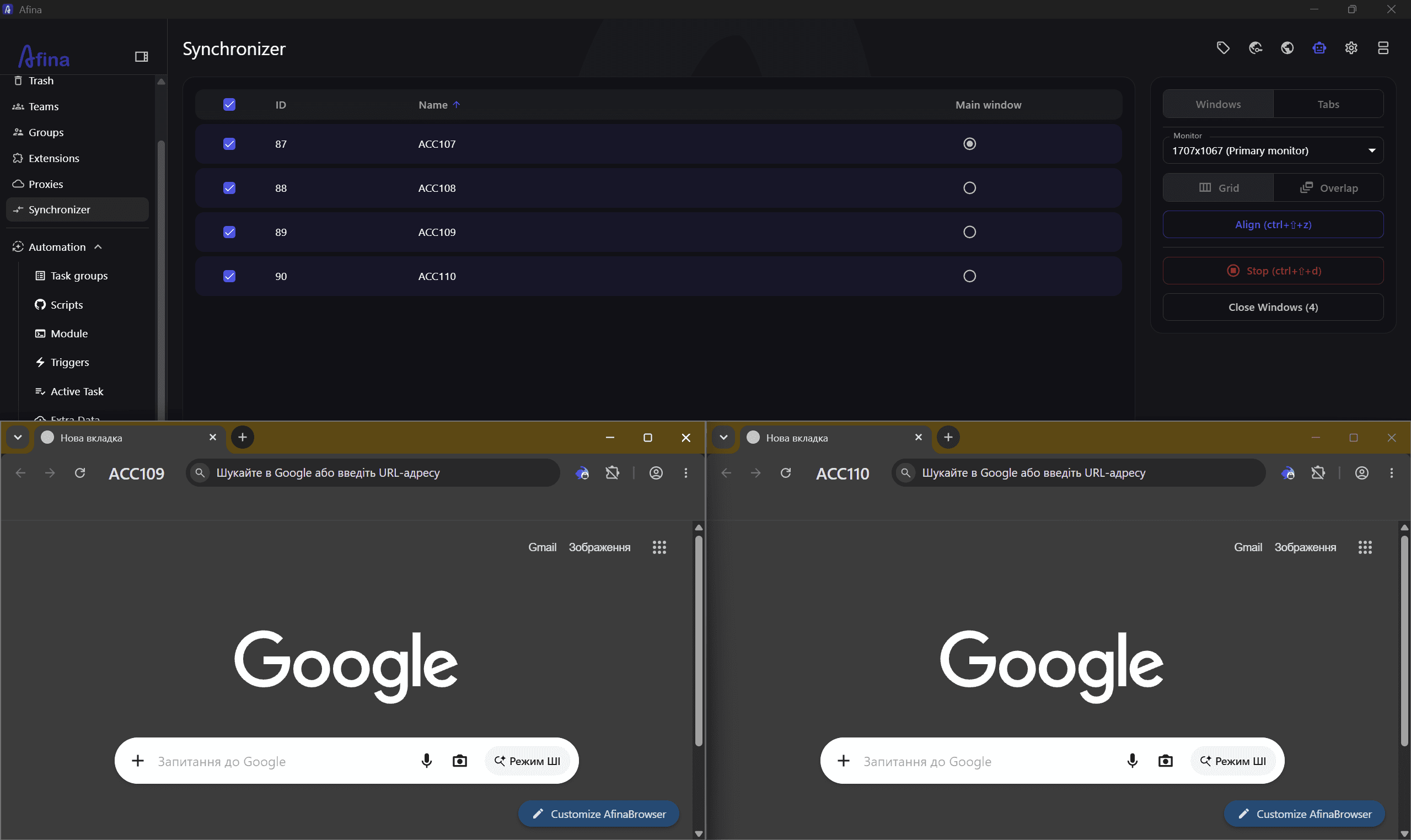
The safest boundary is simple: if an operator cannot see whether the copied action succeeded, reduce the pod or switch to a logged script.
Design the proxy policy around account stability
Proxy policy is more than choosing a country. Each profile needs an ownership rule for its endpoint, a replacement rule, and a response to a route that changes location. HTTP, HTTPS, and SOCKS5 are supported, while UDP traffic requires a SOCKS5 endpoint whose provider actually supports UDP. Whether the endpoint is issued by Coronium or another proxy provider, the same ownership, replacement, and monitoring rules apply before it is assigned to a pod.
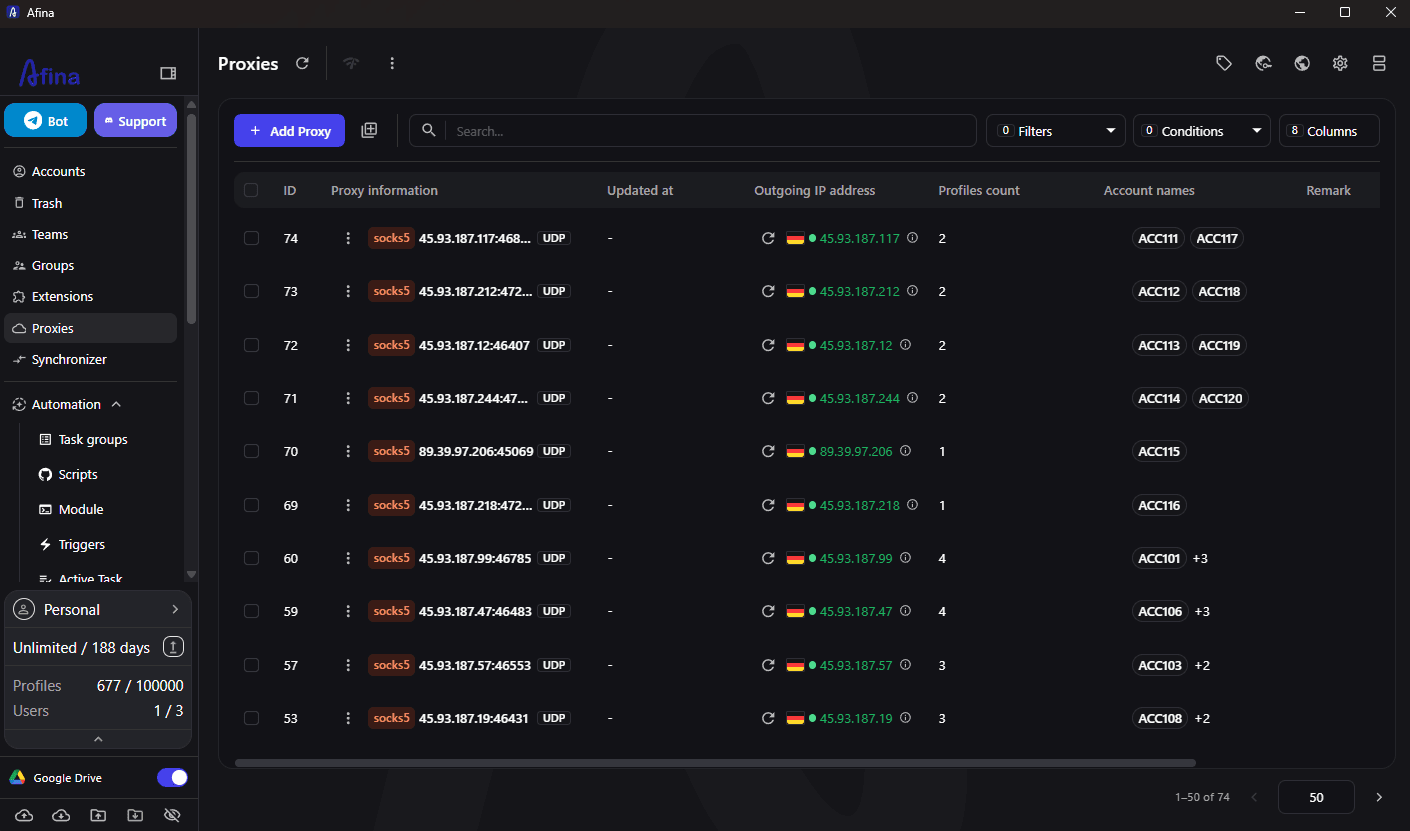
This distinction matters for WebRTC, QUIC/HTTP3, and WebTransport. A SOCKS5 label alone does not prove those transports will work. Check the endpoint before assignment and verify the running profile, and see our note on QUIC-ready proxies and UDP support for what to test. If WebRTC is not required, it can be disabled globally. If it is required, the visible route should agree with the intended proxy path.
The multi-accounting controls in Afina Browser help keep routes, profile data, groups, and operating notes attached to the same units of work. They do not improve a weak proxy. Expired credentials, unstable location, latency, and IP reputation still belong to the endpoint and need separate monitoring.
Avoid changing a working profile’s country during an active account session. Afina Browser includes a setting that can block the profile when the proxy country changes. That is a useful containment control when geographic continuity matters.
Keep the blast radius small when something fails
Fast teams do not avoid every incident. They stop a small incident from becoming a batch-wide event. Define stop conditions before launch and let any operator use them without waiting for a manager.
Pause a pod when one of these signals appears:
- the public IP or country differs from the assigned route
- the same step fails across several profiles after a script change
- retries increase without a clear temporary cause
- browser windows become too slow for an operator to verify outcomes
- session data appears missing after a configuration or key change
- an account platform introduces a new verification step that the current flow does not handle
After a stop, change one layer at a time. Test the proxy independently. Then inspect profile settings. Then review the task flow. Rebuilding all three at once destroys the evidence needed to find the fault.
A useful incident record is brief: pod name, first observed time, affected profiles, last known-good task version, route status, and the decision that restored service. That note becomes part of the next rollout gate. Afina Browser provides the execution controls, but the team still owns the decision about when a workflow is safe to copy.
FAQ
Related reading
Antidetect browser mobile proxy setup
Fingerprint, timezone and proxy settings across ten antidetect tools.
Account warming to avoid bans
The day-by-day ramp that keeps new profiles alive.
QUIC-ready proxies and UDP support
Why a SOCKS5 label alone does not prove UDP works.
Disclosure: this article was contributed by Afina and published as a sponsored guest post on the Coronium.io blog. All screenshots were supplied by the vendor. Product details and promo codes are Afina's own and may change; verify them on the vendor site before purchase.